E-commerce
Accept Mobile Money on your store.
Install the WooCommerce plugin or call the API from your own store. Your customers pay with their Mobile Money number and you are notified as soon as the payment is confirmed.
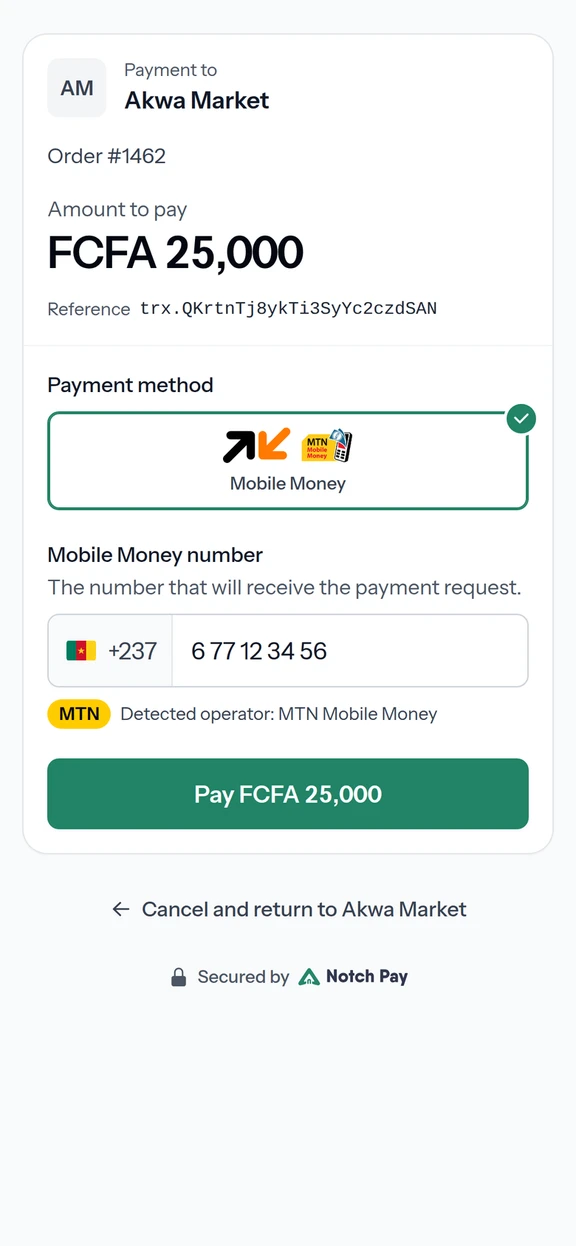
How a customer pays on your store
- 01
Checkout
At checkout, the customer chooses Mobile Money and enters their number.
- 02
Confirmation on their phone
The customer confirms the payment on their phone.
- 03
Order paid
You see the payment in your dashboard and receive the webhook, then prepare the order.
- 04
Withdraw your sales
Your sales build up in your balance. Withdraw them to your own Mobile Money account.
For WooCommerce and custom stores
- A checkout built for mobile
- Most of your customers shop from their phone. Our payment page is designed for it.
- WooCommerce in minutes
- Install our plugin, paste your keys and start accepting Mobile Money without code.
- Your own store
- Building your own store? Create payments through the API and confirm orders with signed webhooks.
Add Mobile Money to your store.
Create your account and make your first test payment today.
- Test keys as soon as you sign up
- Verification of your business documents
- Live payments, credited to your balance