Events & voting
Ticketing and paid voting by Mobile Money
Award ceremonies, talent contests, concerts: your audience buys tickets or votes with Mobile Money, and every vote is a confirmed payment.
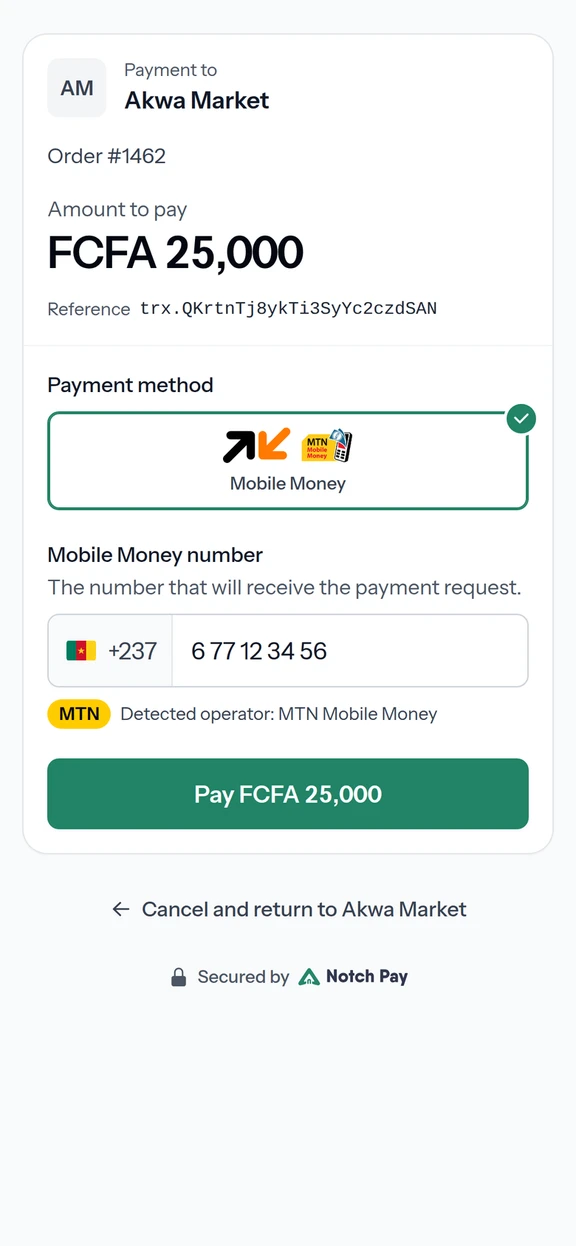
How a paid vote works
- 01
Choose a candidate
The voter picks a candidate and a number of votes on your voting site or app.
- 02
Pay with Mobile Money
They enter their number and confirm on their phone.
- 03
Count the vote
Notch Pay confirms the payment to your platform by webhook; you count the vote only then.
- 04
Publish the results
Results only include confirmed payments. Withdraw the proceeds or pay partners from your balance.
Ticketing and event payments need our written approval before going live. Tell us about your event when you sign up.
For organisers and voting platforms
- Paid public voting
- Each vote is a Mobile Money payment, so results can be checked against the payments.
- Ticket sales
- Sell tickets from your own event website or app, paid by Mobile Money at a secure checkout.
- Live results
- Follow votes and sales from the dashboard or through webhooks as they come in.
In their words
Thanks to Notch Pay, we successfully organised our online voting process.

Best Talent Cameroon
Talent contest
We now have full control over our transactions.

The Public Vision Awards
Awards and public voting
Open voting for your next event.
Create your account and make your first test payment today.
- Test keys as soon as you sign up
- Verification of your business documents
- Live payments, credited to your balance